Projects and iterations
Projects
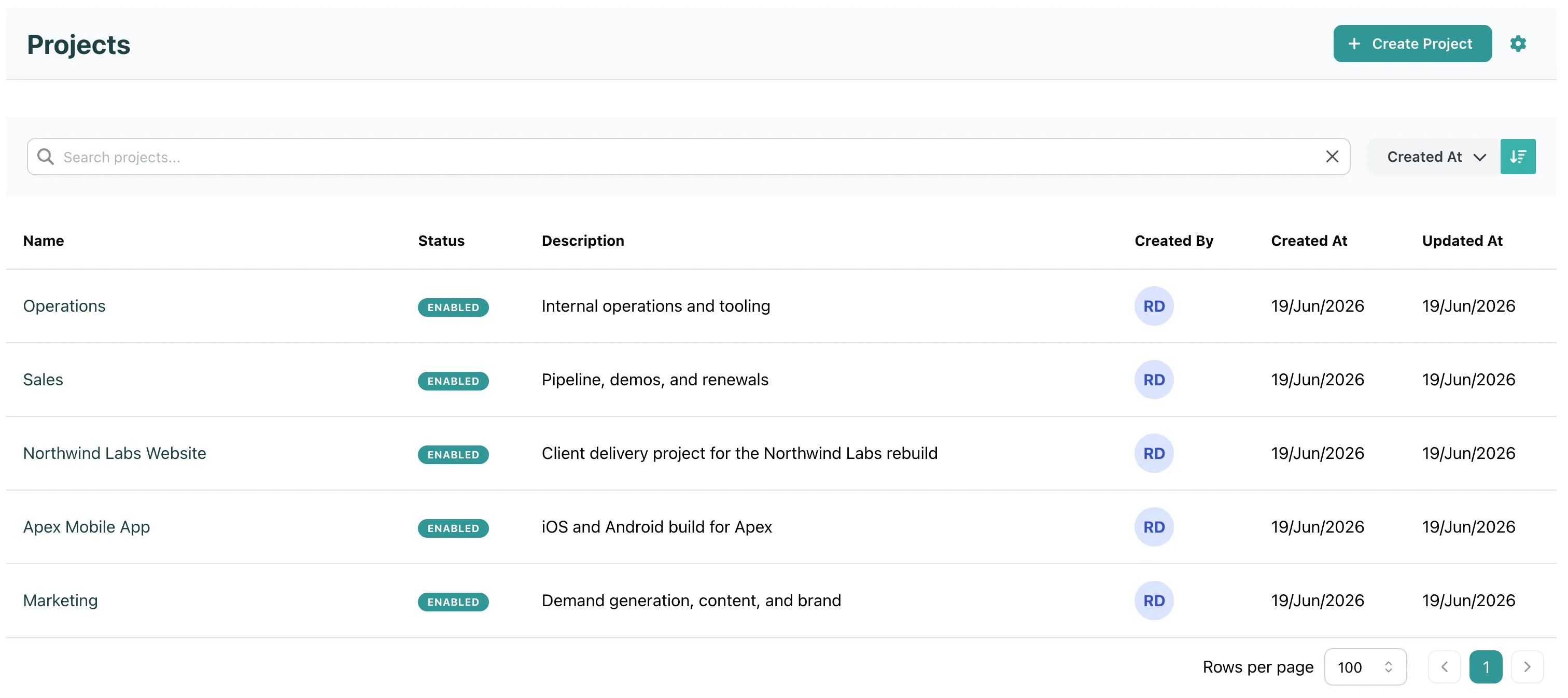
Section titled “Projects”A project is where work lives. Make one per client or one per team. It holds the board, the backlog, the iterations and the full history, including the bugs you found and did not fix.
A project has no deadline and no health. It does not end. You can disable it when the client leaves or the team is dissolved. The history stays.
Every task belongs to exactly one project.
Iterations
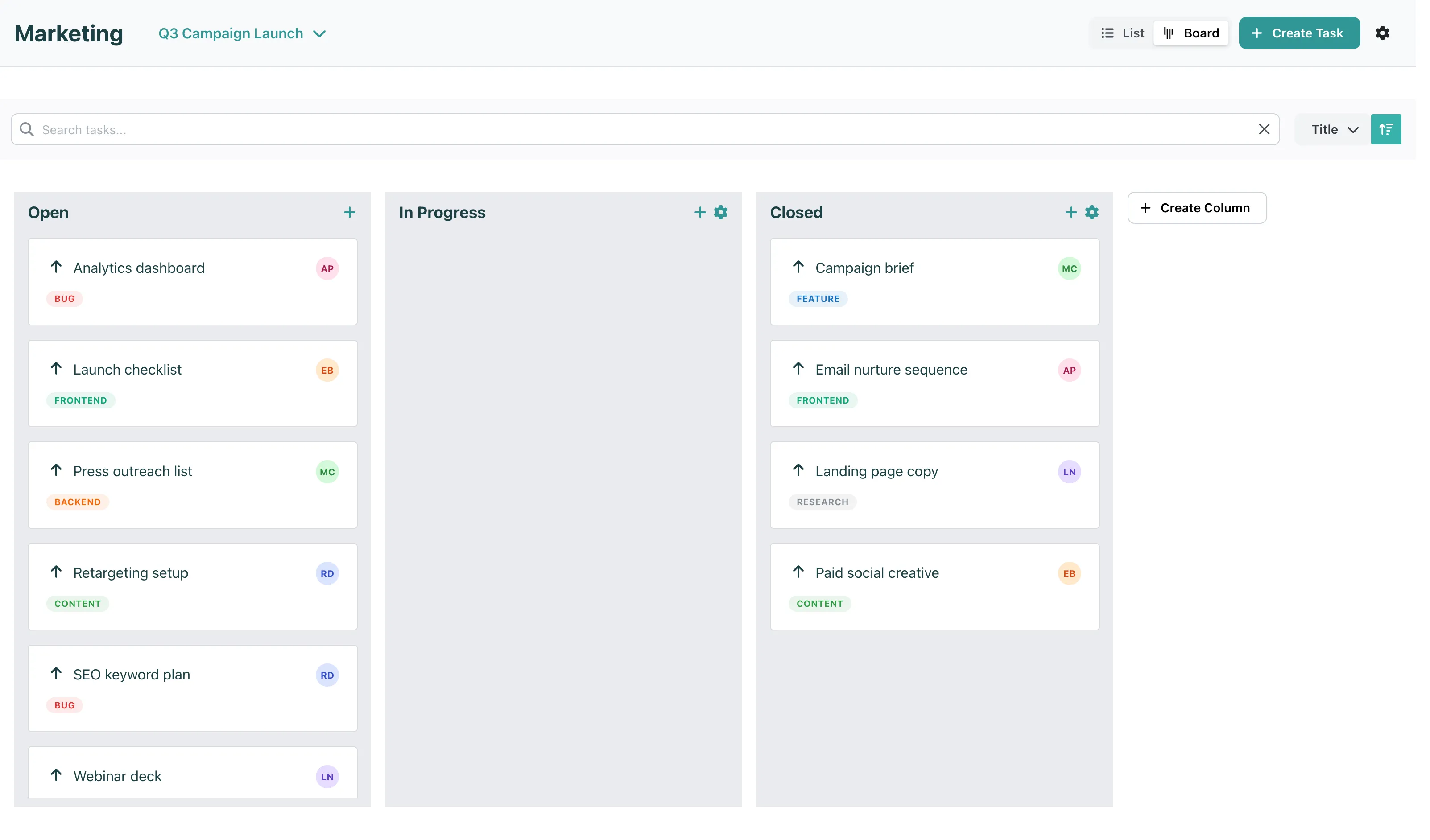
Section titled “Iterations”An iteration is a time-box inside one project: a set of that project’s tasks, due by an end date. Two weeks for a product team, one launch date for a client project. An iteration is planned, then active, then completed or cancelled.
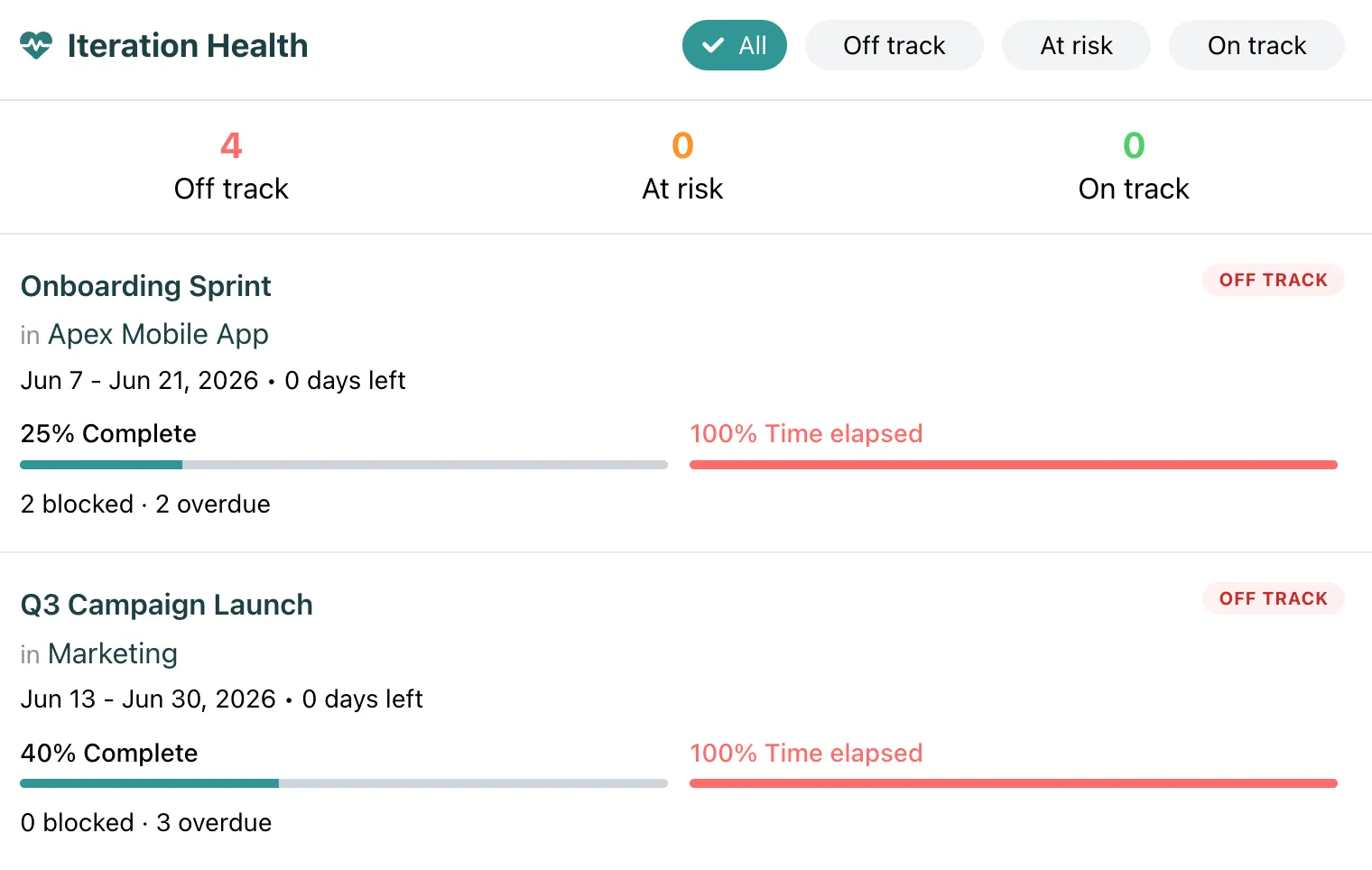
Because an iteration has a deadline and a fixed set of tasks, it has health. The health is computed live from elapsed time, completed tasks, overdue and blocked tasks, and team capacity. See Health.
An iteration cannot hold tasks from another project, and it cannot hold a decision or a sign-off. It sees the edge of cross-project work (“one of my tasks is blocked”) and goes red. If the whole thing must be tracked, that is an initiative.
A task is a unit of work inside one project. It has a status (open, in progress, closed), a priority (very low to critical), an effort size (XS to XL), an optional due date, an assignee and labels.
Tasks link to other tasks as dependencies, and they link to work items when they deliver part of an initiative. See Tasks for every field.
The umbrella task
Section titled “The umbrella task”In one project, people often build a feature as an umbrella task with the other tasks linked under it: a frontend task as the entry point, backend and devops tasks linked to it. This is the right thing to do inside one project.
What it lacks is roll-up. If a linked task goes overdue, the umbrella stays green. When that starts to matter, the answer is not to give tasks a roll-up. The answer is to make the umbrella a work item on an initiative.