Connect an AI assistant
SRP runs an MCP server. Any assistant that speaks MCP over HTTP can read your work and change it, with your permissions. Everything you need is on your own profile page, under AI Assistants.
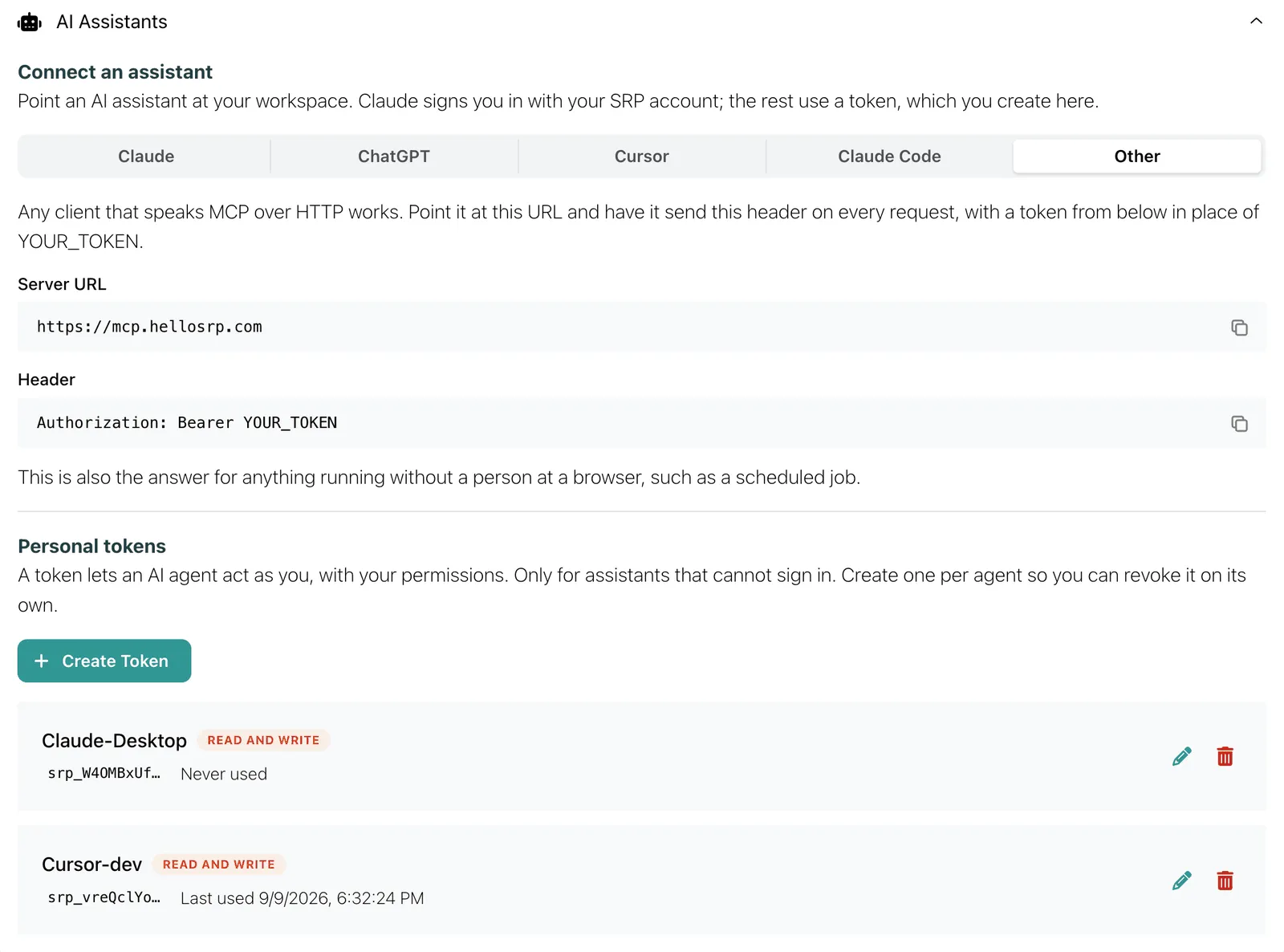
Server URL, for every client:
https://mcp.hellosrp.comClaude signs you in with your SRP account. Every other client uses a personal token, which you create on the same page. See Tokens below.
Pick your client
Section titled “Pick your client”Works on web, desktop and mobile.
-
In Claude, open Settings > Connectors > Add custom connector.
-
Paste the server URL and continue.
https://mcp.hellosrp.com -
Leave Authentication on Always required.
-
Under OAuth client, pick Use your own OAuth client and paste this client ID. Leave the secret blank.
srp-mcp -
Add the connector, then click Connect and sign in with your SRP account.
Nothing secret is pasted. Claude sends you to the same sign-in page the app uses, and acts with your own permissions afterwards.
-
Create a personal token with the access you want.
-
In ChatGPT, open Settings > Plugins > MCPs.
-
Click Add > Connect to a custom MCP.
-
Name it SRP and set Type to Streamable HTTP.
-
Paste the server URL.
https://mcp.hellosrp.com -
Under Headers, add a key of
Authorizationwith this value, with your token in place ofYOUR_TOKEN.Bearer YOUR_TOKEN -
Save.
-
Create a personal token with the access you want.
-
In Cursor, open Settings and search for MCP.
-
Open MCPs > New MCP Server > User. That opens
~/.cursor/mcp.json. -
Add this block, with your token in place of
YOUR_TOKEN.{"mcpServers": {"srp": {"url": "https://mcp.hellosrp.com","headers": {"Authorization": "Bearer YOUR_TOKEN"}}}}
Create a personal token, then run this in a terminal with your token in place of YOUR_TOKEN:
claude mcp add --transport http srp https://mcp.hellosrp.com --header "Authorization: Bearer YOUR_TOKEN"Any client that speaks MCP over HTTP works. Point it at the server URL and have it send this header on every request, with a personal token in place of YOUR_TOKEN:
Authorization: Bearer YOUR_TOKENThis is also the answer for anything that runs without a person at a browser, such as a scheduled job.
Tokens
Section titled “Tokens”A token lets an agent act as you, with your permissions. Only for clients that cannot sign in.
On your profile, under AI Assistants, click Create Token. Give it a name that says where it lives (“Claude on my laptop”, “Cursor-dev”) and pick the access:
- Read only. The agent can answer questions. Every write is refused before anything loads.
- Read and write. The agent can create and change work, as you.
The secret is shown once. Copy it into the client. SRP does not store it and cannot show it again.
Create one token per agent, so you can revoke each one on its own. Revoking deletes the token; the next call from that client fails. The company owner sees every token in the company, with its name and last use, and can revoke any of them.
What to ask
Section titled “What to ask”The assistant has more than thirty tools across the company. Some examples:
Which initiatives are at risk, and why?
What is in the Sprint 24 iteration on the mobile app, and what is still unassigned?
Add a task to the website project: redo the pricing copy, due Friday, label it copy.
Who is off next week, and is Thursday clear for a design review?
Book me off Monday to Wednesday.
Anything waiting on me to approve?
What the assistant creates is ordinary SRP work: in the same project, counted by capacity, assessed by health, visible to your team.
Permissions
Section titled “Permissions”- A connection is a person. The agent carries your identity, your role and your company.
- It uses the same permission engine as the app. An employee’s agent cannot approve leave. A manager’s can.
- Nothing crosses companies. The company comes from your credential, never from the prompt.
- The agent reads nothing outside SRP: not your email, not your repositories, not your files.
Every plan has the MCP server, including Free.