Integrations
Settings → Integrations. Read-only. SRP never creates or changes anything in your repositories.
| GitLab | GitHub | |
|---|---|---|
| Hosts | gitlab.com and self-managed | github.com only |
| Connect | OAuth with read_api scope |
Install the SRP app on the repositories you pick |
| Links | Issues, merge requests | Issues, pull requests |
| Webhook auth | Secret token, or per-webhook signing token | HMAC SHA-256 secret |
Watched projects
Section titled “Watched projects”After connecting, add the projects or repositories SRP may search. Search and linking are limited to this list.
Linking
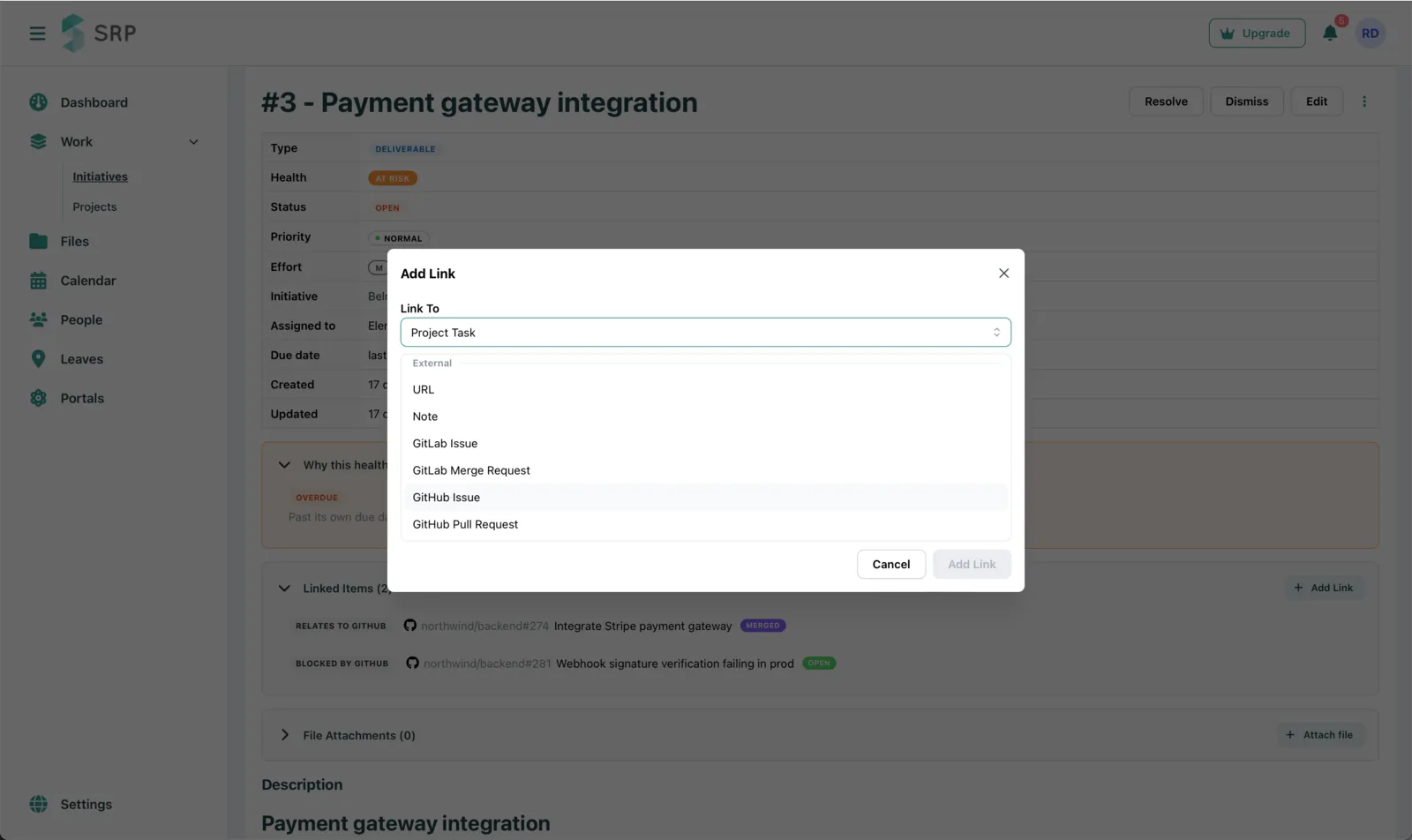
Section titled “Linking”On a task or work item, Add link, then pick the type: GitLab Issue, GitLab Merge Request, GitHub Issue, GitHub Pull Request. Search works the moment the connection exists.
Status updates
Section titled “Status updates”Linked items sync every hour. When an issue closes or a request merges, SRP resolves the link and recomputes health.
Webhooks, for instant updates
Section titled “Webhooks, for instant updates”The Integrations page shows a Webhook URL for each provider and an authentication section.
GitLab
Section titled “GitLab”- In each GitLab project, open Settings → Webhooks and add a webhook with SRP’s URL.
- Enable the Issues / Work item events and Merge request events triggers.
- Authentication, one of two:
- Secret token. Generate one in SRP and paste it into the “Secret token” field of every webhook. The same value works for all of them.
- Signing token. For each GitLab webhook that uses a signing token, paste the token GitLab generated into SRP, one per webhook.
GitHub
Section titled “GitHub”- In each repository, open Settings → Webhooks and add a webhook with SRP’s URL.
- Enable the Issues and Pull requests events.
- Generate a secret in SRP and paste it into the webhook’s “Secret” field. SRP verifies every delivery’s signature against it. The same value works for all repositories.
Health
Section titled “Health”An open linked issue that blocks a work item puts the work item at risk. An overdue or unowned linked issue does the same. When the work merges or closes, the reason clears.